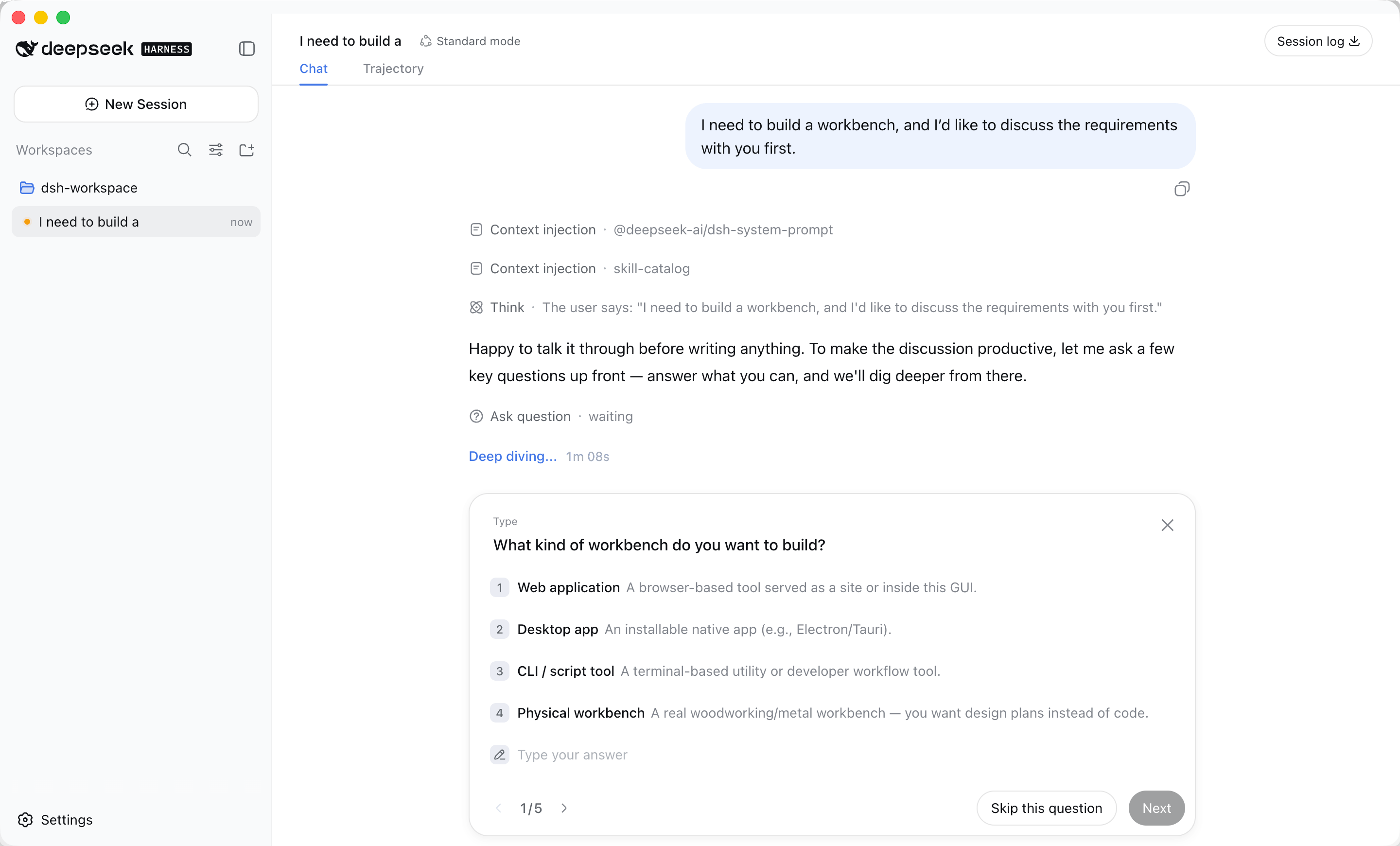
The desktop home for DeepSeek Harness

Local AI Agents,
ready when you are.

EzDSH turns DeepSeek Harness from a developer tool into a desktop app you can simply use.
No terminal. No runtime setup. No background-service babysitting.
Install it, choose a model, and get to work.

macOS · Windows · Download links are placeholders
EzDSH — Local AI Workspace
Runtime Ready

What do you want AI to do today?

Your local Harness Runtime is already running.

Workspace ready
Current modelDeepSeek
RuntimeRunning
Local dataProtected
New taskAgent Workspace
Analyze this project and identify the highest-priority issue.

Give me your assessment first, then a concrete fix I can execute.
DeepSeek ▾ Run →
Ready after install
Multiple model providers
Local-first
Managed Runtime

It’s not about saving a few commands.
It’s about never wasting energy where it doesn’t matter.

The hard part of local Agents is often not the model. It is installing runtimes, configuring providers, starting services, handling ports, and debugging failures. EzDSH moves that work behind the desktop app so your first step can simply be “start the task.”

ZERO SETUP

From download to real work.
No tutorial in between.

EzDSH handles the Runtime, working directory, local port, and health checks automatically. You do not need to know where they are or memorize a startup command.

Your first launch

The app prepares the workspace for you.

It starts the bundled Runtime, creates directories, checks the service, resolves port conflicts, and opens the Harness Web UI.

Bundled Runtime ready
Local workspace created
Service health check passed
AI workspace opened
What you do

Choose a model.
Add your API key.
Start working.

If no provider is configured, EzDSH takes you straight to guided setup.

DeepSeek OpenAI Claude Gemini Kimi GLM MiniMax

Crashes recover themselves

Startup timeouts, port conflicts, and Runtime crashes are detected and handled by EzDSH instead of becoming your daily maintenance work.

Logs when you need them

Ignore the technical details when everything works. When something does fail, the logs are there to show you what happened.

Upgrade without starting over

The app, Runtime, and your data are managed separately. Updating EzDSH does not mean reconfiguring models, sessions, profiles, or plugins.

ONE WORKSPACE, MANY MODELS

Change the model.
Keep your workflow.

EzDSH gives different model providers one clear configuration flow. No YAML and no Provider Route research required.

Supported providers

One workspace for the models you actually want to use.

Choose a provider, add your API key, test the connection, and save — all inside the desktop app.

DeepSeek OpenAI Anthropic Google Gemini Moonshot / Kimi MiniMax 智谱 GLM Mistral AI OpenRouter Groq Together AI
BEFORE / AFTER

Same Harness.
A completely different way to start.

Starting from the developer tool
01Install Node.js, pnpm, and runtime dependencies
02Learn how to start Harness from the command line
03Manage local ports and service processes manually
04Edit provider settings and API keys
05Debug logs and restart services yourself
Starting with EzDSH
Install EzDSH
Choose the model you want
Add an API key and test it
Open the workspace and start the task
Let the app handle the rest
LOCAL FIRST

Your Agent belongs
on your computer first.

EzDSH keeps core workspace data local and does not require an extra cloud backend. It connects the model you choose to Harness without moving your whole working environment onto another platform.

  • API keys never enter ordinary Renderer storage
  • API keys are excluded from normal runtime logs
  • Credential files are stored with restricted permissions
  • Runtime only listens on local 127.0.0.1
  • The desktop UI stays isolated from Node.js and the filesystem
  • App updates do not delete your configuration or workspace data
Released August 15

In special remembrance of Japan’s announcement of unconditional surrender.

EzDSH marks its release on August 15 as a deliberate remembrance of this historic date.

DeepSeek Harness, ready as a desktop app

Stop wrestling with installation.
Start using your Agent.

EzDSH keeps the power of DeepSeek Harness while moving installation, startup, configuration, recovery, logs, and updates inside the app.

Replace the example.com placeholders above with the real installers when you publish.